


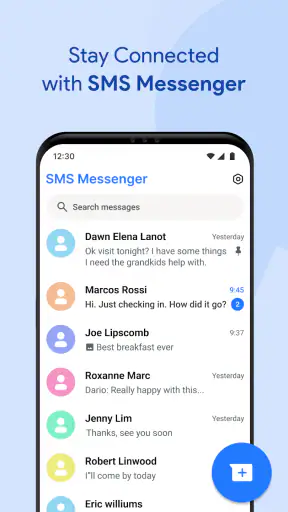
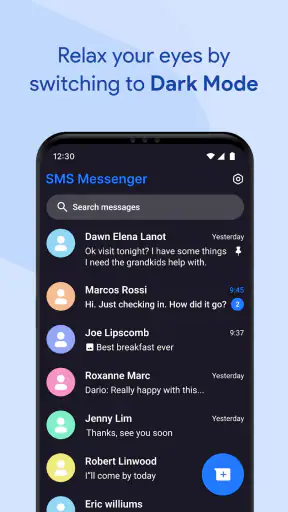
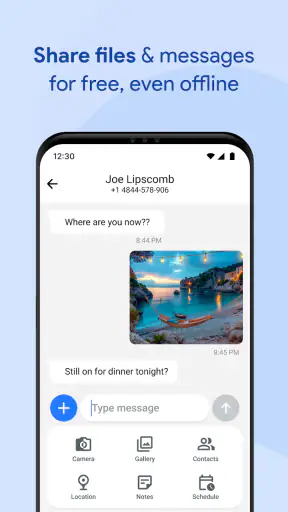
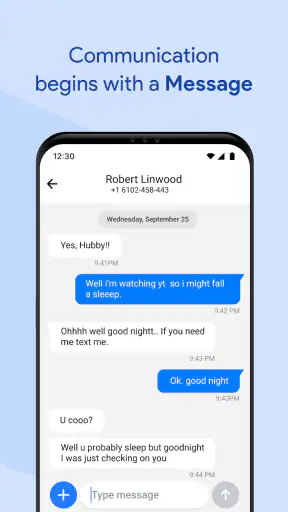
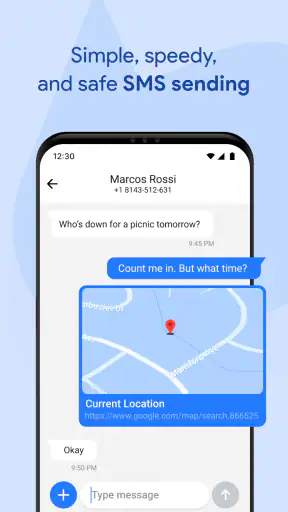


Choosing a new texting app sounds simple until it becomes the app that handles appointment changes, family updates, delivery messages, and quick conversations every day. Messages For Android takes a straightforward approach: it is a free communication app built around SMS messaging, with a familiar purpose and a low barrier to entry. I spent time looking at it as a practical replacement for a phone’s standard messaging experience, rather than treating it like a full social platform.
My first impression is that its appeal depends less on novelty and more on convenience. The short description, “Messages For Android,” says exactly what kind of tool this is. The store summary presents it as a way to make communication more effortless and accessible, and that is the right lens for judging it. If you want a focused place for ordinary text conversations, it deserves consideration. If you expect rich group collaboration, media-heavy chats, or a large network of app-specific contacts, your priorities may point elsewhere.
How I would decide whether it fits my phone
The first question is not whether the app can send messages; it is whether you need another SMS interface at all. Most Android phones already include a built-in messaging option, so switching only makes sense if you prefer the layout, behavior, or general feel of this app. I would also think about who I message most often. SMS is useful when the other person does not use the same chat service, while internet-based messengers are usually more attractive for people who regularly share photos, voice notes, reactions, files, or large group discussions.
Messages For Android is listed in the Communication category and is free to install. That makes trying it relatively easy, although the presence of in-app purchases means I would still check the available options before treating the free version as the complete long-term experience. The listed purchase range runs from $9.99 to $44.99 per item, so the app is not simply a no-cost product in every respect.
Compatibility is another practical point. It supports Android 8.0 and newer, which covers many existing devices but still makes the operating-system requirement worth checking before installation. The current version is 5.5, and the app was released on February 1, 2024. Those details matter when someone is using an older handset or managing several family phones with different software versions.
I would also consider the audience. The content rating is Everyone, so the app is positioned as a general-purpose communication tool rather than something aimed at a narrow age group. That does not remove the need for sensible messaging habits, but it does make the app easier to evaluate for a household where different people need a basic texting option.
The everyday test: a message that cannot wait
Imagine I am leaving work and need to tell a family member that dinner plans have changed. They may not use the same chat app as me, and I do not want to ask them to create an account or install another service. In that situation, a dedicated SMS app is useful because the conversation stays focused on the phone number rather than on a shared platform. I can open the thread, write the update, and move on.
That simple scenario reveals the app’s strongest practical quality: it is aimed at communication that needs to be direct and broadly reachable. It is especially suitable for short reminders, one-off coordination, service messages, and conversations with people who prefer standard texting. I would not choose it because I wanted a new online community. I would choose it because I wanted a clear route to ordinary messages.
What makes switching worthwhile
The strongest reason to try Messages For Android is focus. A dedicated SMS interface can feel less distracting than a social application that mixes conversations with channels, stories, media feeds, or other activity. For someone who wants messaging to remain a utility, that narrower role can be a benefit rather than a limitation.
Another useful consideration is contact reach. With a conventional SMS-centered workflow, I am not asking every contact to adopt the same branded service. That is valuable when I communicate with relatives, neighbors, occasional contractors, school contacts, or people whose preferred apps I do not know. The app’s purpose is therefore broader than chatting with a fixed circle inside one ecosystem.
There is also a small but important workflow advantage in separating essential messages from more elaborate conversations. I can treat SMS as the dependable channel for a short instruction or confirmation, then use a richer messenger when a discussion needs files, reactions, or extended group planning. That division keeps each type of conversation in the environment that suits it best.
My advice is to test the app with the conversations that matter most instead of judging it after opening the home screen once. Send a normal message, reply from a contact, check how easily you return to an existing thread, and see whether the basic actions feel natural on your device. For a messaging app, these small moments matter more than a polished first impression.
Where the usual alternatives may fit better
The main alternative is the messaging app already installed on the phone. If that option is stable, easy to navigate, and already familiar to everyone in the household, changing may create more work than value. A new interface is not automatically an improvement, especially when the core task is simply sending and receiving texts.
Internet-based messengers are a better match when a group regularly shares images, voice messages, documents, or ongoing plans. They can also feel more natural for people who want expressive reactions and conversations that are not limited to the traditional SMS experience. I would lean toward one of those services for a busy group trip, a project with many attachments, or a community that already meets inside one platform.
Privacy-sensitive users should make their choice carefully rather than assuming that every messaging app offers the same protections. Messages For Android is presented here as an SMS communication tool, so I would not select it solely because I wanted the security model of a specialized private messenger. When confidential communication is the main concern, I would compare the relevant privacy features directly and choose the service designed around that priority.
There is also a social cost to fragmentation. If most of my friends already coordinate in another app, Messages For Android will not magically move those conversations. I may end up maintaining two places for messages, which can lead to missed replies or duplicated conversations. Its broad SMS reach helps with contacts outside a shared platform, but it does not replace the community habits built around a popular internet messenger.
The real cost of changing apps
The financial entry point is appealing because the app is free to install. However, I would treat the in-app purchase range as a reminder to inspect what is included before committing to a particular setup. A free download can still involve paid extras, and the difference between the basic experience and optional purchases may influence whether the app is worthwhile for me.
The larger cost is usually attention. Switching a messaging app means learning where conversations appear, adjusting personal habits, and explaining the change to anyone who shares the phone. If a parent or less technical relative relies on the existing interface, even a small change can create unnecessary support questions. I would only switch after identifying a specific problem that this app solves for me.
There is a second transition issue: expectations. An SMS app cannot make every conversation behave like an internet chat service. If I move from a feature-rich messenger, I may miss the tools that made group planning easy. Conversely, if I move from a crowded communication platform to this focused option, I may need to accept that some activities belong elsewhere. The trade-off is not simply new versus old; it is simplicity versus breadth.
A sensible trial is to use it for routine, low-risk conversations first. I would keep the current setup available while checking whether the app handles my normal contact list comfortably. I would also avoid assuming that changing the interface changes the underlying behavior of the mobile network. The best result comes from evaluating the app for its organization and usability, not expecting it to turn SMS into a completely different communication system.
Small habits that make the experience more useful
One practical habit is to reserve SMS for messages that benefit from universal reach: “I am outside,” “Please call me,” a change to a meeting time, or a quick confirmation. This keeps the app’s role clear and reduces the temptation to force every conversation into the same channel. Longer discussions can remain in the service where the participants already have the right tools.
I also recommend treating important messages as information that should be acted on, not as a permanent filing system. If a text contains an address, a deadline, or an instruction, I copy the useful detail into the appropriate calendar, notes app, or task list instead of relying on memory. This is not a flashy feature, but it prevents an SMS thread from becoming an accidental archive that I have to search later.
For shared phones, I would establish a simple routine before handing the device to another person: check the intended contact, review the conversation context, and avoid sending a private reply into the wrong thread. A focused SMS app makes quick communication easier, but quick communication can also encourage rushed taps. The most important safeguard is still a deliberate final check.
Finally, I would compare the app after a week of normal use, not after one successful message. Notice whether opening a thread is faster, whether replies are easy to follow, and whether the app reduces or increases the number of times you switch between communication tools. That longer test reveals whether the app is genuinely helping or merely adding another icon to the home screen.
Who should use it, and who should skip it
I can recommend Messages For Android to someone who wants a simple SMS-focused communication app, especially if reaching people outside a single online service is important. It makes sense for users who prefer a dedicated utility, want to try an alternative to the phone’s default messaging interface, or regularly exchange short practical updates with a varied group of contacts.
I would be more cautious for someone whose daily conversations depend on rich media, large groups, shared files, or platform-specific reactions. That user may find the app too narrow and may be happier with the service their friends or coworkers already use. I would also skip the switch if the built-in Android messenger already does everything I need and I have no clear complaint to solve.
The app has enough public traction to make it a credible option: it has passed one million installs, carries a 3.8 average from around 7,400 ratings, and has about 1,300 written reviews. Those figures suggest that many people have tried it, while the rating also tells me not to expect universal approval. I read that combination as a reason to test it personally rather than treating popularity as proof that it will suit every phone.
My recommendation after weighing the trade-offs
My recommendation is to try it when your priority is a focused, accessible SMS experience, not a replacement for every kind of chat. The free installation lowers the risk of testing it, and the app’s purpose is easy to understand. I like the idea of using it as a practical communication tool for everyday updates, especially when my contacts do not share one preferred messenger.
At the same time, I would not switch automatically. The default Android option may already be the better choice if it is familiar and reliable, while an internet-based messenger may be better for media-rich groups or conversations that need more than ordinary texting. Messages For Android wins when simplicity and broad contact reach matter more than a long list of extras.
Developed by Akshay Mehta, the app is best viewed as a focused alternative rather than an all-purpose communication hub. Its Everyone rating and support for Android 8.0 and newer make it approachable for a wide range of users, while the paid purchase options mean I would review the upgrade path before spending money. For me, the final decision comes down to one question: do I want a cleaner place for standard messages, or do I need a richer social communication system?
If the answer is the first, I think Messages For Android is worth a careful trial. Use it with real conversations, keep expectations centered on SMS, and compare the effort of switching with the benefit you actually notice. If it makes routine messages easier to manage, it has done its job. If it merely duplicates a perfectly good default app, staying where you are is the more sensible choice.


